
- Go to Transfer & Pay in the top menu and select Transfer Funds.
- Click Deposit Funds and select USD (US Dollar) as your currency.
- Choose your preferred transfer method (e.g., Bank Wire, Link a Bank Account/ACH, or Wise)
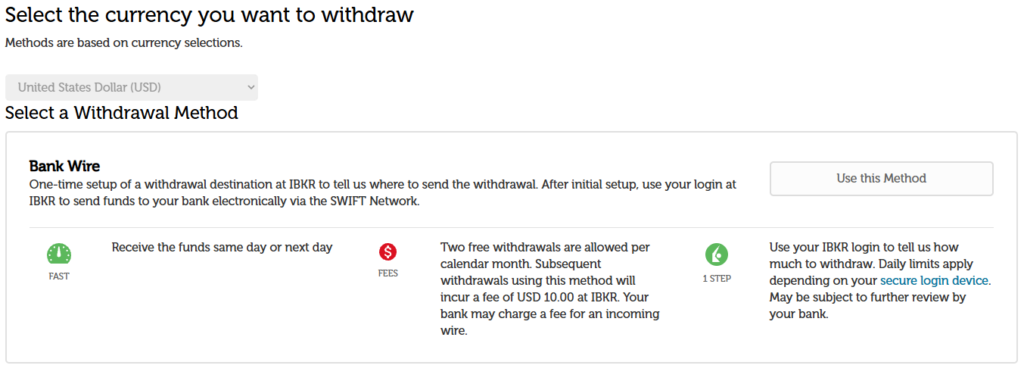
Complete the fields to add your bank account.
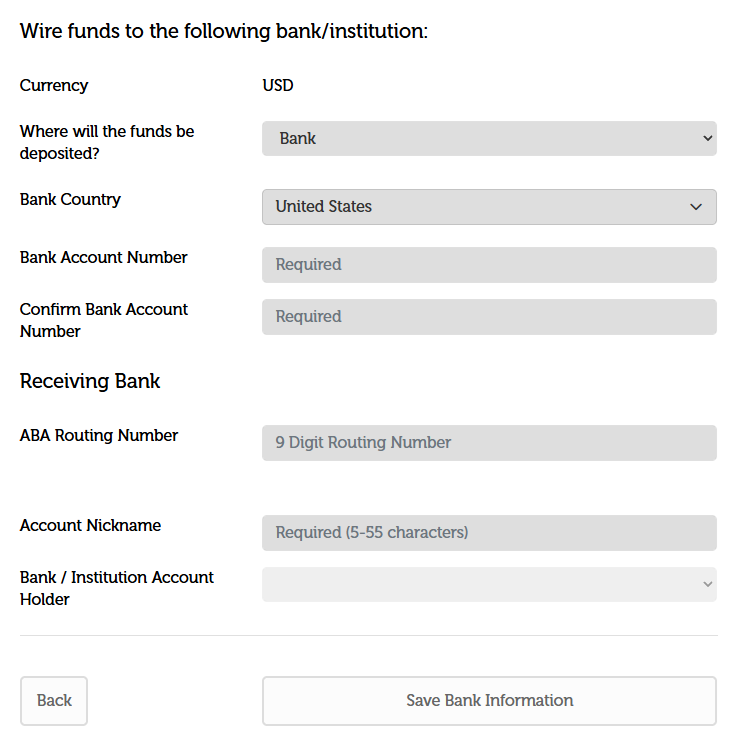
Bank account verification is one of three ways:
- Instant verification: choose the account type, enter the routing and account numbers, and select Connect Bank Account. The client confirms with an electronic signature and security token, and if the account is in their name, it links instantly.
- Micro-deposits (fallback): if the custodian can’t verify ownership, the bank receives two small credits and a matching debit within 1–3 business days. The client then enters the amounts under Home > bell icon > Pending Items.
- Log in at your bank (Plaid): the client selects their bank, signs in to online banking, accepts the terms, then signs the agreement with two-factor authentication.
Bank statements as proof of account
If a bank account cannot be verified in the above methods, an upload may be required.
- When it’s needed: if the custodian can’t verify the account instantly, or the client uses a UK bank and wire, and then proof of ownership is requested.
- What’s acceptable: a recent statement (typically under 3 months old) showing the account holder’s full name, the account number or IBAN, the bank name and the statement date. Redacted transactions are fine.
- How to upload: the Message Center reply flow works as the existing IRA transfer process has the client click Upload your form, then Reply to attach the document and add a comment. Alternatively, the client can send it through the Wealth Hub document vault.
Tips: upload a PDF, not a photo. Make sure all four corners show, and that the name matches the IBKR account exactly.
After upload: updates come through the Message Center. Contact us if you’ve heard nothing after the usual review period.